First-Time Config
After Installing the Admin API, there are a couple manual steps that must be completed before the application can be used.
1. Launch the Application
The database is now initialized and ready to function. Visit the configured URL
from a browser (or launch from IIS or Docker Desktop if using those) and verify
the application is running. The root page (/) should return JSON with the API
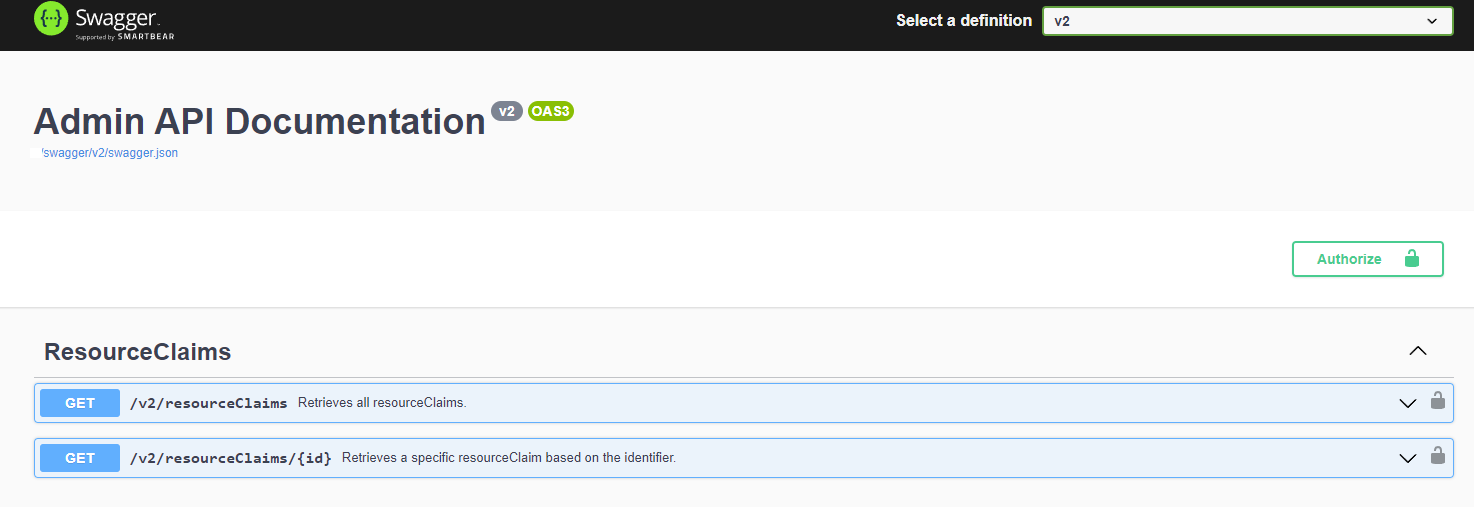
and Build versions. Additionally you can visit /swagger/index.html if Swagger
is enabled in appsettings and view the web-based documentation.
Sample Response from /
{
  "version": "2.0",
  "build": "2.0.0.0"
}
2. Create the First API Client
In order to authenticate with the API you must first register a client key and secret. This is a client for the Admin API, not an Application and key / secret for interfacing with the Ed-Fi ODS / API.
Client registration is done by sending a url-encoded form request to
/connect/register. The ability to register new clients is similar to adding
users in Admin App. By default, this endpoint is only available when no
clients have been created. After the first client is created, the endpoint is
disabled. The endpoint can be re-enabled with the
Authentication/AllowRegistration setting or environment variable (false by
default). Please use long and complex strings for client id and client secret
to safeguard the credentials for Admin API.
Since the /connect/register endpoint does not require any
authentication, it is recommended that it remains disabled when not
registering a new client. Admin API does not include any scope limitations, so
all clients are able to utilize all endpoints.
The sample below is using curl, however this request can be performed from
Postman, the Swagger site, or from your application.
curl -X POST https://your-admin-api/connect/register -H "Content-Type: application/x-www-form-urlencoded" -d "ClientId=YourClientId&ClientSecret=YourClientSecret&DisplayName=YourDisplayName"
After registering the client, verify it was created by retrieving an authorization token.
curl -X POST https://your-admin-api/connect/token -H "Content-Type: application/x-www-form-urlencoded" -d "client_id=YourClientId&client_secret=YourClientSecret&grant_type=client_credentials"
This should return a JSON result including a bearer token. Note that the above request does not include a request scope, so the token will be invalid for accessing most endpoints. See Securing Admin API for more info.
{
  "access_token": "eyJhbGciOiJIUzI1NiIsInR5cCI6ImF0K2p3dCJ9.eyJzdWIiOiJ0ZXN0MSIsIm5hbWUiOiJ0ZXN0
    Iiwib2lfcHJzdCI6InRlc3QxIiwiY2xpZW50X2lkIjoidGVzdDEiLCJvaV90a25faWQiOiIzMDU2IiwiZXhwIjoxNjU5
    NTY5ODc4LCJpc3MiOiJodHRwczovL2xvY2FsaG9zdDo3MjE0LyIsImlhdCI6MTY1OTU2NjI3OH0.W8RMjmGIA-US6faXuG
    _mbmfbRIDrvrc8QheW5imtj-k",
  "token_type": "Bearer",
  "expires_in": 3599
}
Optional - Self-Signed Certificates
If using a self-signed certificate for a developer or other non-production instances of Admin API, add "Encrypt=False" to appSettings.json in the ConnectionStrings section to allow them to function. Below is a screen capture of the error that will display using self-signed certificates. The ASP.NET Core client does not trust these certificates by default and this parameter will allow development environments to continue with self-signed certificates.

Example below:
"ConnectionStrings": {
   "Admin": "Data Source=.\\;Initial Catalog=EdFi_Admin;Integrated Security=True;Encrypt=False",
   "Security": "Data Source=.\\;Initial Catalog=EdFi_Security;Integrated Security=True;Encrypt=False"
},